 Check out the new podcast series "The Classroom Scoop" that began in January 2019 as a way to highlight learning experiences and technology use in the Walled Lake Consolidated School District. Pam Shoemaker is the host and she partners with teachers across the Walled Lake Consolidated School District (SE Michigan). Listen to the podcasts with popular apps such as Spotify, Pocket Cast, Breaker, and Anchor. Each episode is about 10 minutes in length. Enjoy!
Monday, February 25, 2019
New Podcast Series: the Classroom Scoop!
Check out the new podcast series "The Classroom Scoop" that began in January 2019 as a way to highlight learning experiences and technology use in the Walled Lake Consolidated School District. Pam Shoemaker is the host and she partners with teachers across the Walled Lake Consolidated School District (SE Michigan). Listen to the podcasts with popular apps such as Spotify, Pocket Cast, Breaker, and Anchor. Each episode is about 10 minutes in length. Enjoy!
Wednesday, November 28, 2018
Teaching Media Literacy

Teaching Media Literacy
Yesterday, I participated in the ISTE EdTechCoaches PLN's monthly Twitter chat. The topic: Teaching Media Literacy in the Era of Fake News. It was moderated by PLN member Allison Thompson, @AllisonTEDU. It was a fantastic discussion and I'm anxious to share resources and ideas.
Information Overload
How do you teach media literacy in the era of information overload? It takes some time, yet is very important. Students must know how to evaluate online sources and investigate sources.
- @grahamict teaches students the CRAAP Test (Current, Relevant, Authoritative, Accurate, and Purpose of information).
- @AllisonTEDU focuses on one thing, like looking at news literacy or evaluating an online source. She discusses ways to "trust but verify" with her students and how to investigate sources.
- @TitiAlvayay uses the RADCAB method to check the reliability of websites.
Evaluating Bias
How do you teach students to evaluate bias without appearing biased yourself?
- I (@shoemap) suggested starting the exploration under the lens of commercialism. Ask questions such as "Does the site want to make money?" and "Is the site collecting my personal information for later use?"
- @TitiAlvayay recommends finding out who the author is and thinking about what his/her intention might be to help uncover bias in the information.
Escaping the Echo Chamber
In the digital age, it's very easy to avoid information we don't like. How can we work to become "un-siloed" and escape the echo chamber?
- @EvanOBrancovic suggests pulling facts from a variety of sourcs as a way to better understand different viewpoints (even those you disagree with) & could begin as an attempt to debate, yet result in getting the whole picture.
- @EvanOBrancovic also recommends a site called Factitious, which is a game to give students an easy way of looking at recent articles and practicing identify if they are real or fake. There are constant updates which makes it more credible in the eyes of students.
- I shared an idea of students writing articles about sports events from the perspective of the winner/loser.
Strategies and Resources
- @MrsMHenning shared one of her favorite curated list of resources from Teachers First on the topic of Media Literacy.
- @EvanOBranovic's curated list of resources created for Media Literacy Week.
- @MrsMHenning recommends NewseumEd resources. You need to sign up for an account and it is free.
- I (@shoemap) like the resources that can be found on CommonSenseMedia.
- @mrsbogacz reminds us of using Snopes to evaluate articles and memes with various statistics, as these are things that students will see all the time on social media.
Monday, November 19, 2018
Precious Minutes at the Start and End of Lessons
I came across an Edutopia article titled The 8 Minutes That Matter Most by Brian Sztabnik that listed several simple ideas for engaging students and establishing a positive community of learners. These eight minutes that matter most occur during the beginning and ending of lessons.
I'll highlight a few ideas that I think are very powerful and would be suitable to incorporate into lessons according to the Walled Lake Schools Instructional Framework.
Start of a Lesson: Activate prior knowledge, generate interest and create anticipation for learning
End of a Lesson: Check for Understanding
I'll highlight a few ideas that I think are very powerful and would be suitable to incorporate into lessons according to the Walled Lake Schools Instructional Framework.
Start of a Lesson: Activate prior knowledge, generate interest and create anticipation for learning
Strategy: Start with Good News
Take two minutes at the start of each lesson for sharing and celebrating good news. This will help create a safe space for students to get to know each other and take risks, which sets up a positive learning environment.
Strategy: Write for Five Minutes
Kelly Gallagher says that students should write four times as much as a teacher can grade. Students need to write -- a lot -- if they are to improve. One way to achieve that is to start each day with an essential question that students must spend five minutes answering. If done day after day, it becomes ritualistic and builds stamina.There are seven defining characteristics of an essential question:
- Open-ended--no single or correct answer
- Thought-provoking -- content to spark discussion and debate
- Requires higher-order thinking such as inference, analysis, prediction
- Ideas transfer across topics and disciplines
- Raises additional questions to spark further inquiry
- Timeless --could be revisited again and again
Strategy: Post it Power
Consider asking students to write down one thing that the learned from a classmate on a post-it note and stick it on a wall in the classroom on the way out the door. At the start of the lesson the next day, read the notes aloud. This will solidify the community of learners and validate class participation.Strategy: Exit Tickets
Use exit tickets as formative assessment to guide tomorrow's instruction. See this extensive list of exit ticket ideas by Grant Wiggins and Jay McTighe.
Wednesday, October 17, 2018
Happy Digital Citizenship Week

Using technology to support the learning process is a given in the day-to-day life of an educator. As online resources and technology are incorporated into classroom lessons and activities, teachers model digital citizenship and mold the future habits and routines of students.
We want students to recognize that every move they make online is part of their digital footprint and that they have a choice as to whether their digital footprint will be a positive one or a negative one.
Educators can help students develop good digital citizenship habits by introducing a variety of positive ways to connect with others online. For example, teachers should demonstrate how to write and share social media posts that are interesting, concise and respectful of others. These types of efforts show students how they can be proactive and empowered digital citizens and maintain a positive digital footprint.
Common Sense Media has many other ideas and resources about digital citizenship that are categorized by grade level. Check out this handout: "4 Ways to Get Started Teaching Digital Citizenship."
Happy Digital Citizenship Week!
Tuesday, August 28, 2018
Conference Kicks Off the School Year

Over 200 educators attended this voluntary professional development event. 45 sessions were held on a variety of topics. Attendees were especially enthusiastic about exploring new tools, discussing instructional strategies, and learning about important cultural issues. I coordinate the event and it is one of the highlights of my year!
The conference would not be possible without the Walled Lake presenters, who volunteered their time to plan and share their experiences with colleagues. Thank you Andrea Abraham (ESC), Beverly Banks (Wixom & Meadowbrook), Danielle Bigi (Hickory Woods), Lori Burke (ESC), Christine Connell (Northern), Jennifer Curtis (ESC), Lara Dryden (Glengary), Judy Evola (ESC), Jamie Gluski (Creek), John Gregg (ESC), Amanda Groeneveld (Creek), Krista Harmsworth (Keith), Kara Helgemo (Pleasant Lake), John Hester (Glengary & Keith), Kelly Holubeck-Gotts (ESC), Kallee Iverson (ESC), Carolyn Kevelin (Pleasant Lake), Jessica Leslie (Walled Lake), Miguel Davis (Macro Connect), Amy Mitchell (ESC), Chelsea O’Brien-Pniewski (Banks), Laura Pace (Oakley Park), Becky Reed (Dublin), Cheryl Roden (high schools), Pam Shoemaker (ESC), Amy Stasak (middle schools), Kelly Tillman (Geisler), Christine Titus (Hickory Woods)
The administrators at Sarah Banks Middle School, Michelle Kalhorn & David Stanton, were so helpful and accommodating in the days leading up to and on the day of the conference, and the IT Department was there in full force to assist attendees as needed. It was an outstanding effort by many, and is truly an event that positively impacts the learning that occurs in classrooms across the district.
Thursday, June 14, 2018
Another Year Down; Time to Reflect
 Today was the last day of school for the students in my district. As I think back on the year, I feel fortunate to work with such amazing people who pour their hearts and souls into the work of educating children, the most important job in the world.
 I am proud of many things that I've been involved in over the past year:
- Partnering with teachers in my district to lead evening webinars on a variety of instructional topics.
- Participating in the work of the iCouncil to collaboratively create in instructional framework. Our next step is to build a website with resources, testimonials, classroom videos and more; resources and ideas for educators to learn more about good instructional strategies.
- Redesigning the instructional technology web site. There is a new "digital toolkit" that includes a sampling of tools organized by task.
- Teaming with special services staff to plan for a new and improved assistive technology consideration process.
- Planning for a new building-based Technology Teacher Leadership program that will begin in the Fall.
- Modifying the format and organizing our annual Spice it Up Conference.
- Being a part of the ISTE Ed Tech Coaches PLN Leadership team. Highlights include:
- Planning and organizing a slow chat book study on the book Learning First, Technology Second by Liz Kolb; educators from all over the world participated.
- Chairing a speaker selection committee for the annual conference.
- ... and I'm looking forward to being the President of the PLN next year!
- Being surprised at the MACUL Conference with a Making it Happen Award! Thank you MACUL!
What will next year bring? Can't wait!
Wednesday, May 16, 2018
Add Voice Narration to Google Slides Presentations with Screencastify!
A feature that is greatly missed by teachers since we have moved to online tools and resources instead of installed software is the ability for students to create video for projects; to blend images and sounds to convey a message. One solution that can fit the bill is to combine the features of Google Slides with Screencastify, a Chrome extension used for recording anything that you see on the screen of a laptop or Chromebook.
Simply put, students begin by planning their project, and then collaboratively build their presentation with Google Slides. Next, they write a script (what they plan to say when each slide is being shown). After practicing their delivery, paying close attention to their speech (rate, volume, enunciation, expression), they use the Screencastify extension to record themselves narrating as they click through their presentation in full screen/presentation view.
It seems complicated at first, but it is easy to do. Here are step-by-step instructions for downloading and installing the Screencastify extension, changing a few settings, and using keyboard shortcuts to start and stop the screen recording process. Have fun!
Simply put, students begin by planning their project, and then collaboratively build their presentation with Google Slides. Next, they write a script (what they plan to say when each slide is being shown). After practicing their delivery, paying close attention to their speech (rate, volume, enunciation, expression), they use the Screencastify extension to record themselves narrating as they click through their presentation in full screen/presentation view.
It seems complicated at first, but it is easy to do. Here are step-by-step instructions for downloading and installing the Screencastify extension, changing a few settings, and using keyboard shortcuts to start and stop the screen recording process. Have fun!
Monday, March 26, 2018
Learning First, Technology Second
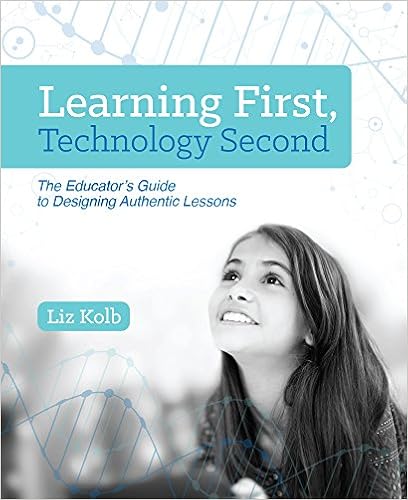
Schedule & Questions (Twitter slow chat fomat)
Archive (see everyone's responses)
The book helps educators measure whether or not authentic student learning is occurring when digital technology tools are integrated into a lesson. It also provides support to help educators make better instructional decisions when integrating digital technology tools. The framework is based on three components: Engagement in learning goals, Enhancement of learning goals, and Extension of learning goals.
We were also fortunate to be able to offer a "meet the author" webinar with Liz Kolb on Feb 22. If you are interested in learning more about the Triple E Framework, you'll want to watch the recorded webinar!
We were also fortunate to be able to offer a "meet the author" webinar with Liz Kolb on Feb 22. If you are interested in learning more about the Triple E Framework, you'll want to watch the recorded webinar!
Check out the resources on the Triple E Framework website. You'll find rubrics, research, case studies, instructional strategies, and more.
Tuesday, February 6, 2018
Twitter Chats You Might Like

Educators can join Twitter chats based on experiences and interests. Once you become an active chat attendee, you automatically become part of the community. Members help each other out in a give and take sort of way. Once you build the relationships, others will help you out when you pose a question or need help.
How do you know the chats that are taking place? The ISTE blog (author Diana Fingal, Jan 16, 2018) recently published an extensive list of Twitter chats for educators. I'm going to whittle that list down a bit and add some of my own. I encourage all educators to find one to try!
General Education Chats
- #edchat (Thursdays, 7 p.m. EST): One of the first education chats, this popular chat has nine moderators and covers a broad range of topics. Find upcoming topics and read archived chats at edchat.pbworks.com.
- #engchat (Monday, 7 p.m. EST): Where English teachers share ideas, resources and inspiration.
- #ISTEchat (Third Thursday, 8 p.m. EST): Focuses on issues related to ed tech and the ISTE Standards.
- #OK2Ask (every other Thursday, 8 p.m. EST): Friendly chat with lots of classroom resources shared.
- #satchat (Saturdays, 7:30 a.m. EST): For current and emerging school leaders
Job Role Chats
- #kinderchat (Mondays, 9 p.m. EST): For anyone interested in kindergarten and early-childhood education.
- #1stchat (Sunday, 8 p.m. EST): Chat about first grade teaching.
- #mschat (Thursdays at 8 p.m. EST): For middle school teachers.
- #ETCoaches (last Tuesday of the month at 1PM and 8PM EST). For ed tech coaches and tech integration specialists.
- cpchat (Wednesdays, 8 p.m. EST): For connected principals and those interested in school leadership.
Chats Based on Topics
- #BookCreator chat (Last Thursday of the month, 2 p.m. EST): Over the course of the chat, participants collaborate on a book and publish it online.
- #digcit (Wednesdays, 7 p.m. EST): Focuses on digital citizenship. Read the chat archives on the #digcit website.
- #EdTechChat (Mondays, 8 p.m. EST:) Focuses on topics related to edtech.
- #FlipClass (Mondays, 8p.m. EST): For those interested in the flipped classroom model.
- #formativechat (Mondays, 7:30 p.m. EST): Discussion of topics related to formative assessment, from giving effective feedback to giving students more ownership of their learning.
- #Games4Ed (Thursdays, 8 p.m. EST; Sundays, 3 p.m. EST): For those interested in game-based learning and gamification.
- #iteachphysics (Saturdays, 9 a.m. EST): Bi-weekly chat for physics teachers.
- #kidscancode (Tuesdays 8 p.m. EST): For educators interested in helping students learn to program.
- #LearnLAP (Mondays, 8 p.m. EST): Focuses on strategies for creating a student-led classroom - "Learn Like A Pirate".
- #TLAP (Mondays, 9 p.m. EST): For educators who embrace David Burgess’ approach of teaching like a pirate.
- #pblchat (Tuesdays, 9 p.m. EST): For project-based learning fans.
- #PersonalizedPD (Tuesdays, 9 p.m. EST): For those interested in customizing professional development to meet the needs of each educator.
- #plearnchat (Mondays, 7 p.m. EST): Topics focus on personalized learning, learner agency, changing culture, voice and choice, and strategies to transform teaching and learning.
- #Read4fun (Every other Sunday, 7 p.m. EST): Connects passionate educators with books, and with each other.
- #Shiftthis (Tuesdays, 8 p.m. EST): Focuses on implementing gradual change for massive impact in the classroom.
- #sschat (Mondays, 7 p.m. EST): For social studies educators.
- #WeirdEd (Wednesdays, 10 p.m. ET): Focuses on positive issues, taking action and the kids.
Chats Based on Location
- #MichEd (Wednesdays, 8 p.m. EST): Focuses on topics important to students, educators, and parents in Michigan. See archive here.
Tuesday, January 9, 2018
Common Sense Media's List of Best Ed Tech 2017

Common Sense Media's Educator Portal is one of my favorite sites for exploring new tools that have been evaluated by educators. The reviews with a focus on the impact on student learning is the best feature.
They recently published their list of 25 best apps, games, and websites. The tools are broken down by categories: Arts & Socio-emotional Learning, ELA, Math & Science, Social Studies, Teacher Tools, and Tech Skills.
Of the 25 tools listed, many of them were new to me! I will enjoy spending time exploring them. On the top of my list with questions I want to find out include:
- Inq-ITS virtual labs (Will they work on Chromebooks?)
- Beyond the Bubble history assessments (How are they different from more traditional assessments?)
- Spiral instant feedback tool (Why is it called Spiral?)
- Itch; a tool to help teachers teach with Scratch (Can it be true? I don't find Scratch to be that intuitive)
Enjoy the list: Best EdTech of 2017. Thank you Common Sense Media!
Thursday, January 4, 2018
The Meltdown and Spectre Bugs: Should You Be Worried?

How it works is complicated. The best description I found was from the Intel website. "Most modern CPUs are able to predict what code they might need to run for a given process, and run it in advance so the results are ready before they are needed. This can significantly improve the overall performance and efficiency of a CPU, resulting in a faster and more capable computer or mobile device. CPUs may sometimes move data from one memory location to another for use by these processes. Although the system is operating exactly as it is designed to, in certain cases some of this data may be observable through these exploits"
Technology companies are working furiously to create patches to protect themselves and their customers. Amazon web services, Google Cloud, and Microsoft Allure immediately deployed patches against Meltdown and there is no indication that the available exploits could work against them. Spectre is more deeply rooted and will be harder to fix. (Source: the Verge)
According to a Bloomberg Technology article, the vulnerability will not prevent your computer from working and so far there have not been reports of anyone's computer being attacked. This makes me feel a little bit better.
What should one do to protect your devices? Download and install ALL UPDATES! This means Windows updates, browser updates, app updates, antivirus program updates and firmware updates on any school or personal technology.
Thursday, December 21, 2017
Annotate PDFs with Snap & Read

Snap & Read just added a new feature - PDF annotation. Are you familiar with Kami? The Snap & Read annotation feature is similar. It is free with unlimited use for all Walled Lake Consolidated Schools students and staff and it works with Google Drive.
This can come in handy for students to write responses directly on PDFs and highlight important phrases.
How do you use it? See written instructions and/or the video below.
Step 1: If you haven’t already done so, install Snap & Read from the Chrome store. Accept the user agreement and then sign in with your WL Google Account.
Step 2: Go to Google Drive.
Step 3: Click on the Snap & Read extension (it will turn blue when active and the black toolbar will appear on the right).
Step 4: Click on the research button at the bottom of the toolbar.
Step 5: Click the three dots in the upper right corner.
Step 6: Open PDF from > Google Drive (or “My Device,” depending on where it is).
Step 7: Now you are ready to write on it. To do so, click the pencil in the upper left corner. The buttons to write or highlight will appear.
Step 8: When finished, SAVE!
See one minute how-to video below (for best results, view full-screen).
Thursday, December 7, 2017
Hour of Code
by guest blogger, Amy Stasak, middle school instructional technology coach at Walled Lake Consolidated Schools, @abstasak


What is the Hour of Code?
The Hour of Code started as a one-hour introduction to computer science, designed to demystify "code", to show that anybody can learn the basics, and to broaden participation in the field of computer science. It has since become a worldwide effort to celebrate computer science, starting with 1-hour coding activities but expanding to all sorts of community efforts.Geisler Middle School Student Coding Experience
This year I had the opportunity to bring a local company, AccelerateKid, to Geisler Middle School for a one-day Hour of Code event. 70+ students voluntarily signed up to attend an hour session in the Media Center, led by the owner and several of his instructors. They began by introducing the students to coding and where/why they might use it in their lives. Then, they connected the kids to a “broken” version of a Star Wars Jedi game on Scratch, a site where users program their own interactive stories, animations, and games. The AccelerateKid instructors walked participants through adding/editing/adjusting various coding steps, to essentially “fix” the game. They discussed important programming vocabulary and the various components to be used in the Scratch website. They posed challenges that students had to figure out how to complete successfully.My Reflections
Several details struck me this morning as I observed the two sessions unfold. First, I was amazed by the diverse group of students that attended. Not only did this attract the stereotypical “computer geeks,” but we had almost half girls, over a quarter African Americans, quite a few English Language Learners and several Special Ed students. An interest in computer science is obviously growing to all populations. It was super cool to see the excitement on so many different faces. Second, it was refreshing to see young people learn to think creatively, reason systematically, and work collaboratively. Their brains were spinning and when they solved each challenge, the light bulb smiles spread throughout the room. Participants were all so willing to assist one another, applaud the successes, and even jokingly commiserate when their game spit out the “Game Over” sound bite. When asked at the end of each session who learned something new and who enjoyed themselves, the room erupted in “me, me me!” Overall, I would say this was a huge success and I am thrilled to have been a part of offering this experience to my students.Tuesday, December 5, 2017
Creating Animated GIFs
I often listen to The Google Teacher Tribe Podcast with Matt Miller and Kasey Bell. This is a weekly podcast that lasts 30-40 minutes. I like the structure and always pick up a tip or idea that I can use as I support teachers in my district. It's a great way to keep up with GSuite updates. Sometimes there is a guest who talks about a topic related to educational technology.
The topic of this week's episode was Supporting GSuite Learning with GIFs. The guest, Jake Miller, discussed why he decided to get started, which made me chuckle. He was on Facebook and saw a GIF of how to make a tater tot casserole; he liked that it was quick to view and kept his attention. He then reflected on some of his longer how-to video tutorials that hardly anyone opens and decided to try creating animated GIFs to see if more people would use them. OK, now I'm interested.
Jake creates his GIFs using Camtasia, a program that I have. (Thank you, TechSmith for providing this awesome program to Google Certified Trainers!) So, I decided that maybe I should at least figure out how to do it. I first went to Techsmith's video tutorials, but I didn't find exactly what I was looking for. I then did some searching and found a blog that was super helpful: How to Create a GIF Image with a Progress Bar by Jon Acampora.
One reason why I haven't especially cared for animated GIFs is that sometimes it is difficult to tell when the video begins (due to looping), and often they are too quick for me to process multiple steps. Using Camtasia allows me to easily adjust speed and add a slider bar so that viewers can tell when the video begins and ends. Thank you Jon, for sharing how to do it!
Here is my first attempt: Inserting Emojis into a Word Doc.

I still need to experiment with the publishing settings to figure out what works best. I first published with the highest HD settings, figuring it would be the clearest image possible. However, when I went to open it, it took awhile, and I know that each second is precious. I reduced the video size settings, but still don't know if it is the best. If anyone has suggestions for me, please let me know!
The topic of this week's episode was Supporting GSuite Learning with GIFs. The guest, Jake Miller, discussed why he decided to get started, which made me chuckle. He was on Facebook and saw a GIF of how to make a tater tot casserole; he liked that it was quick to view and kept his attention. He then reflected on some of his longer how-to video tutorials that hardly anyone opens and decided to try creating animated GIFs to see if more people would use them. OK, now I'm interested.
Jake creates his GIFs using Camtasia, a program that I have. (Thank you, TechSmith for providing this awesome program to Google Certified Trainers!) So, I decided that maybe I should at least figure out how to do it. I first went to Techsmith's video tutorials, but I didn't find exactly what I was looking for. I then did some searching and found a blog that was super helpful: How to Create a GIF Image with a Progress Bar by Jon Acampora.
One reason why I haven't especially cared for animated GIFs is that sometimes it is difficult to tell when the video begins (due to looping), and often they are too quick for me to process multiple steps. Using Camtasia allows me to easily adjust speed and add a slider bar so that viewers can tell when the video begins and ends. Thank you Jon, for sharing how to do it!
Here is my first attempt: Inserting Emojis into a Word Doc.

I still need to experiment with the publishing settings to figure out what works best. I first published with the highest HD settings, figuring it would be the clearest image possible. However, when I went to open it, it took awhile, and I know that each second is precious. I reduced the video size settings, but still don't know if it is the best. If anyone has suggestions for me, please let me know!
I do maintain a Google Learning Site for teachers in my district (and anyone else who wishes to use it) where I post video tutorials and handouts to demonstrate how to use each of the tools in the Google Suite. My self imposed guideline is 2-5 min per video, trying to keep them at 2-3 minutes. I recently published some tutorials that can be found on my Google Forms page. Examples include Reasons for Use, Inserting YouTube videos, Sending out a Form to Others, Creating a Self-grading Quiz, and How to View the Data. I really do not think that I could use animated GIFs for these types of videos, as the verbal explanations are important. However, I could perhaps add some animated GIFs to my written handout. Maybe I'll try that next! I'll also start building a library of GIFs as people ask me questions.
Thursday, November 2, 2017
Where Are All The Teachers?
 |
| modified image: "plane taking off" from openclipart.com. |
- Teacher Shortage, from Michigan Radio
- Educators Push For Bills to Ease Substitute Teacher Shortage, from MLive
- Crisis in Teaching Means Crisis for Michigan's Kids, from the Detroit News
- What Can We Do About Teacher Turnover, from Edutopia
The teaching shortage is real, and it's a problem. I work in a suburban school district and it is November, and we still have teaching vacancies. It is difficult for teachers to attend professional development to improve their craft because there are not enough substitute teachers to cover their classes.
Teachers go into the profession because they want to make a positive difference in the world. There is no other profession with the capacity to shape the futures of so many others. The work is challenging, yet very rewarding. As a nation, we must do much more to fully appreciate and support the work of teachers.
The bills that are being considered in the Michigan legislature, related to allowing retirees to return to the classroom as substitute teachers will help. However, I think that policymakers should focus on strategies to attract talented individuals into the profession and improving teacher retention.
The profession is losing out when high school grads consider career options. When they learn that teacher pay has gone down each year for the past five years, they look for other options. That's what my daughter did. She was interested in being a math teacher, and she would have been an excellent one, yet she chose to be an engineer. She weighed the pros and cons of each profession and the teaching profession lost the battle. Her situation is not unique.
Every career depends on the work of teachers who are charged with people building. There is nothing more important than that. Please do whatever you can do to support policies that will help attract and keep teachers in the classroom.
Friday, October 6, 2017
Get Ready for Digital Citizenship Week: October 16-20
 |
| from JDJ from OpenClipArt.org |
"Being a good digital citizen is more than learning your way around the web. It's about empowering your students with skills to think critically, behave safely, and participate responsibly online, allowing them to connect and collaborate in meaningful ways." ~https://www.commonsense.org
Take a look at standard 2 of ISTE's Standards for Students:
 |
| from http://www.iste.org/standards/for-students |
There is also a downloadable digital citizenship pledge that could be printed out and signed by students, and then posted in the classroom; get it on the Common Sense Media Website.
All of theses resources are free and easy to implement. Let's all do our part!
Tuesday, September 5, 2017
Google Team Drive: How to Begin, Benefits/Drawbacks
Have you noticed "Team Drive" from your Google Drive navigation menu? Take a peek at this 7 min video explaining what it is and how to get started. Learn about the benefits and pitfalls before you try to use it.
Thursday, August 17, 2017
Excited for the New School Year

The Walled Lake Spice it Up Conference is one week from today! This is the 13th year, and an annual highlight for me. It's a ton of work to prepare for, but so worth it! I'm looking forward for Liz Kolb to join us as our keynote speaker. I read her book, Learning First, Technology Second, over the summer--loved it! There will be 54 breakout sessions throughout the day, so there is sure to be something for everyone.
I plan to blog regularly throughout the year, as I'm participating in the ISTE Ed Tech Coaches PLN's Blogging Buddies project.
Monday, June 12, 2017
Are Webinars Effective for Teacher Professional Learning?

I was fortunate to be awarded a Walled Lake Consolidated Schools Foundation for Excellence Mini-Grant for my proposal "Professional Learning for Educators via Webinars." Time for professional learning is at a premium; there simply isn't enough time during staff meetings and scheduled PD Days. Teachers want and need more time to collaborate and explore as they learn new skills and instructional practices.

I was awarded the grant in late February and was able to make the purchases and learn how to use the Zoom webinar platform fairly quickly. I surveyed staff to find out topics of interest and also to find out times and dates that would work best for the most people. Five webinars were scheduled based on this feedback.
The structure of each webinar was consistent. There was an overview presentation, followed by short demonstrations of how to use a tool as part of instructional practices. After each demonstration, attendees were given time to explore with opportunities to ask questions. The culmination of each webinar included some type of sharing so that attendees could show what they learned and discuss implementation into professional practices. This format was successful.
Five evening (7-8:00pm) webinars were offered:
- 03.27.2017: Safari Montage: Digital Content for your Classroom
- 04.12.2014: Universal Learning Supports: Co:Writer and Snap&Read
- 05.02.2017: The New Google Sites, Now Available to Students & Staff
- 05.18.2017: Illuminate DnA: Assessments and Reports (this one had two others hosting with me and it worked great!)
- 06.06.2017: Creating Interactive Activities with SMART Notebook
Attendees were invited to submit open-ended feedback after each webinar. Feedback was positive and people enjoyed the webinar format that I used. Comments:
- “I liked learning in this conducive environment. I loved it!”
- “I enjoyed learning how to get started using Safari Montage. I look forward to using it with my students.”
- “Co:Writer has way more options that I was aware of.”
- “I love these tools that I can use (Snap&Read and Co:Writer) to help my students!”
- “I appreciate the hands-on experiences with live guidance.”
- “I loved seeing examples of different kinds of Google Sites.”
- “I liked learning how easy it is to use the new Sites platform.”
- “I have a better feel for the kinds of Illuminate Reports I can access.”
- “I became more comfortable using Smart Notebook. The webinar sparked my enthusiasm for digging deeper into this valuable resource.”
Looking Ahead
Due to the success of the webinar series, I will continue to offer evening webinars on a regular basis throughout the 2017-2018 school year. I plan to review Spice it Up Conference attendance reports and invite the presenters of popular sessions to co-host webinars. I will also survey staff to help determine topics of interest for future webinars.
--------------------
All webinars were recorded and posted on the Walled Lake Safari Montage portal. Check them out! Log in required.
Subscribe to:
Posts (Atom)